Everything your business runs on. In one app.
Most owners juggle eight apps: texting, booking, reviews, payments, a spreadsheet, web forms, a customer list and a job scheduler. Octopilot is one octopus with an arm on each, and one login for you and your team.
 Octopilot1 login
8 arms. 8 jobs. One octopus.
An octopus does eight things at once. So does Octopilot. Each arm runs one part of your business, and they all share the same customers.
- 01Inbox
Calls, texts, web chats, forms and Gmail in one list.
Every plan - 02Booking
Your own booking page and one shared calendar.
Every plan - 03Customers
Every person and every deal, with full history.
Every plan - 04Team
Assign jobs. Owner, manager and team views.
Every plan - 05Money
Invoices, Square payments and live numbers.
Every plan - 06Reviews
Ask for Google reviews and watch your rating.
Every plan - 07Get found
Website chat, forms and QR codes that bring people in.
Every plan - 08Autopilot
AI teammates, missed-call texts and follow-ups.
Full access
Every plan gets all eight arms. Full access switches on the parts that work by themselves: missed calls texted back in seconds, automatic follow-ups and review asks, and AI phone calls.
Bring your apps. Octopilot connects them.
Add the apps you already use. Octopilot links them together, so calls, texts, emails, bookings, reviews and payments all show up in one place and work as one system.
One inbox Gmail
 Google Calendar
 Square
8 apps, plugged in
 GoogleSign in with your Google account
- GmailCustomer emails land in your inbox
- Google CalendarBusy times block double bookings
 Google SheetsBring in your customer list
- Google reviewsReview asks use your real Google link
- SquareInvoices and payments in one place
 Apple CalendarBooking invites add in one tap
 OutlookBooking invites add in one tap
8 ways onto your website and socials
Paste one line into your site and its chat and forms land in Octopilot. Picture guides walk you through each one.
 Wix
 Squarespace
 WordPress
 GoDaddy
 Shopify
- Any other website
 Instagram posts
- No website? Free booking page
Here's what it handles before you get home.
A new customer finds you
A web chat comes in while you're driving. It lands in your inbox and you send your booking link in one tap. They pick Thursday at 9.
You miss a call on a job
Octopilot texts them back within seconds, so they don't call the next company. Full access
Your tech finishes the job
They mark it done on their phone. No call to you. The customer gets a review request. Full access
The invoice gets paid
They pay through Square and it shows up in Money, already marked paid.
You see your whole day
New customers, bookings, money and reviews on one screen. Nothing slipped.
"Do you install tankless water heaters?"
Luis O. marked it done
Paid in full
Sample data
Tap around the real app.
Real Octopilot screens running a sample plumbing business. Switch views, tap the numbered dots, then simulate a missed call.
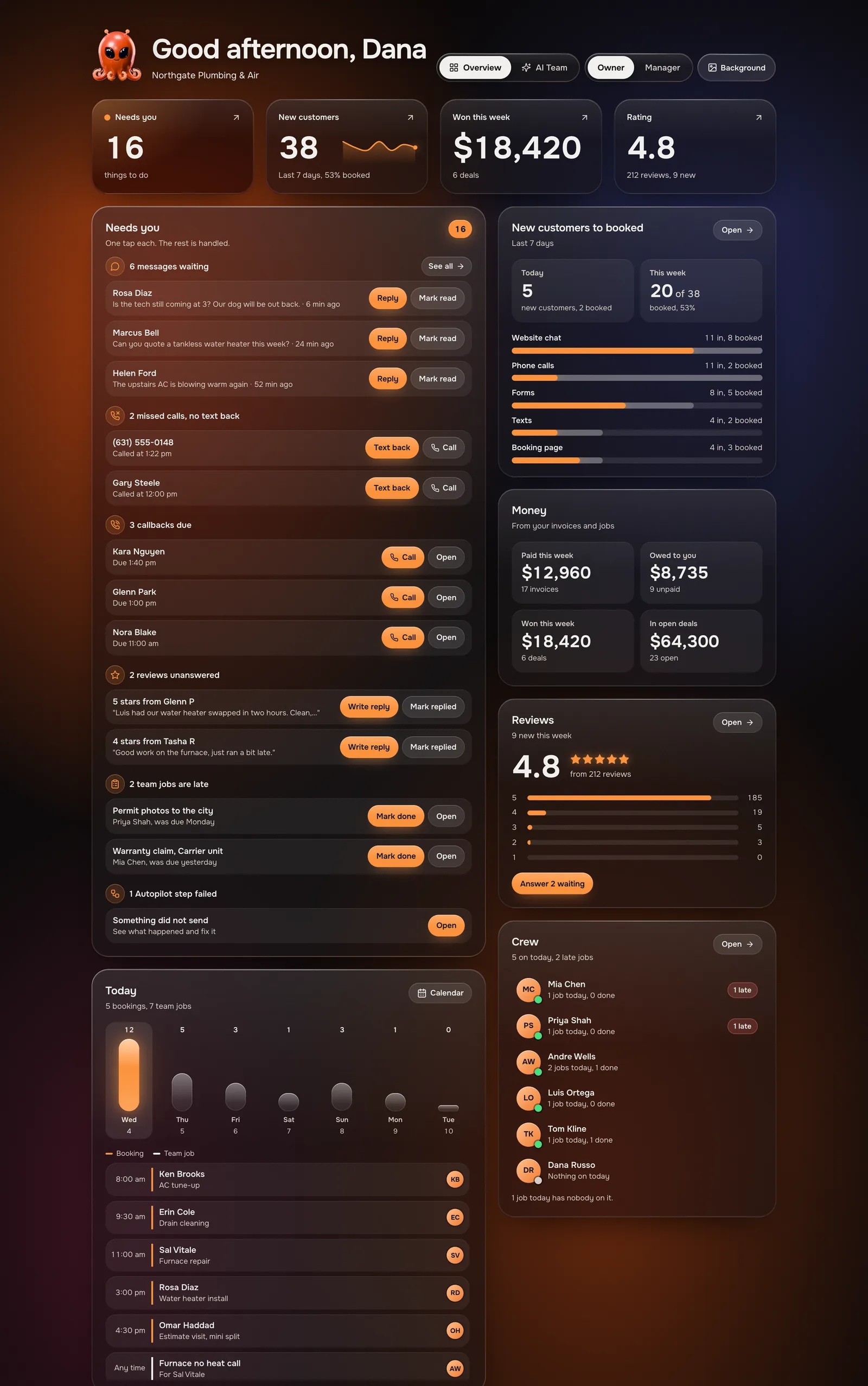
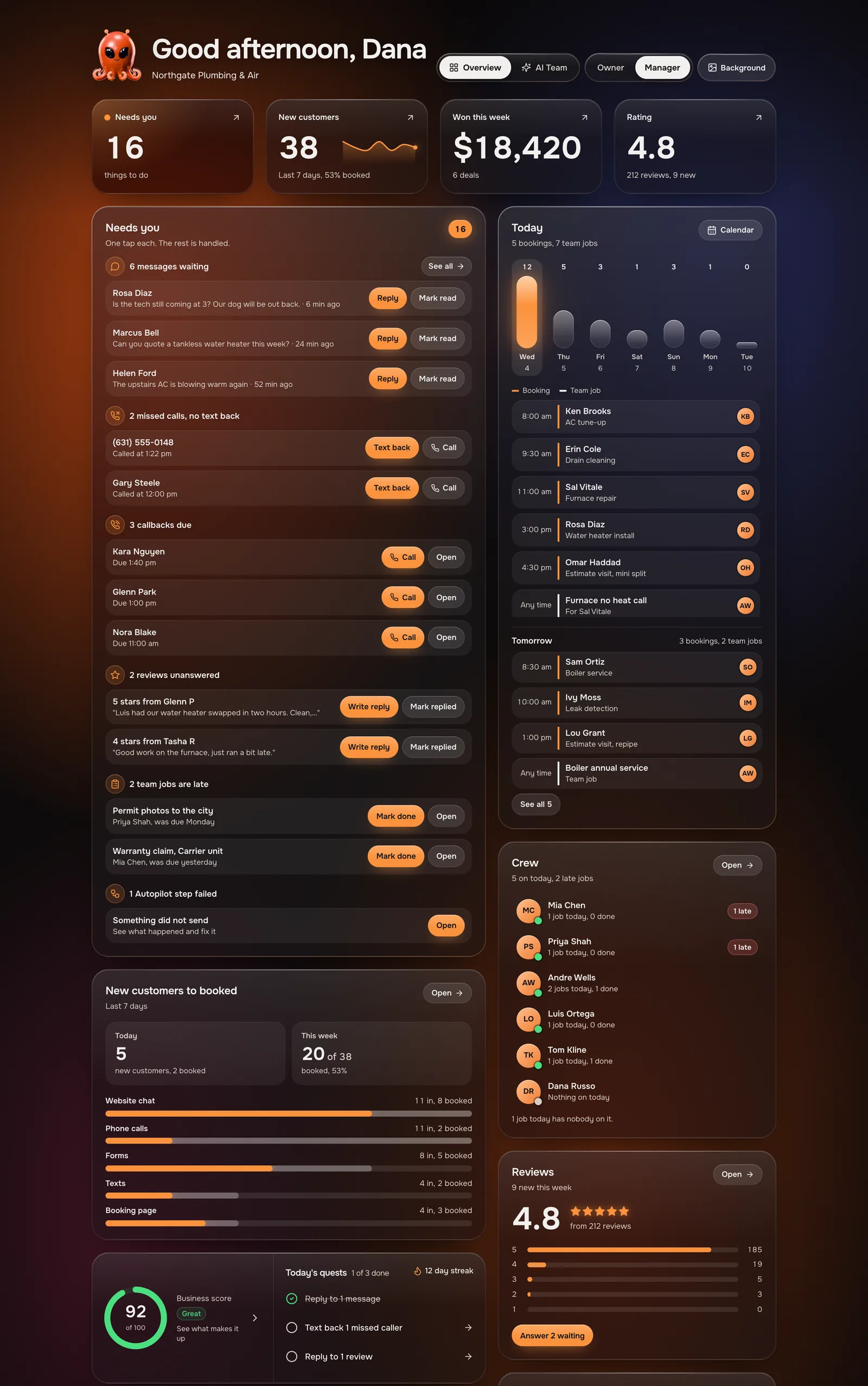
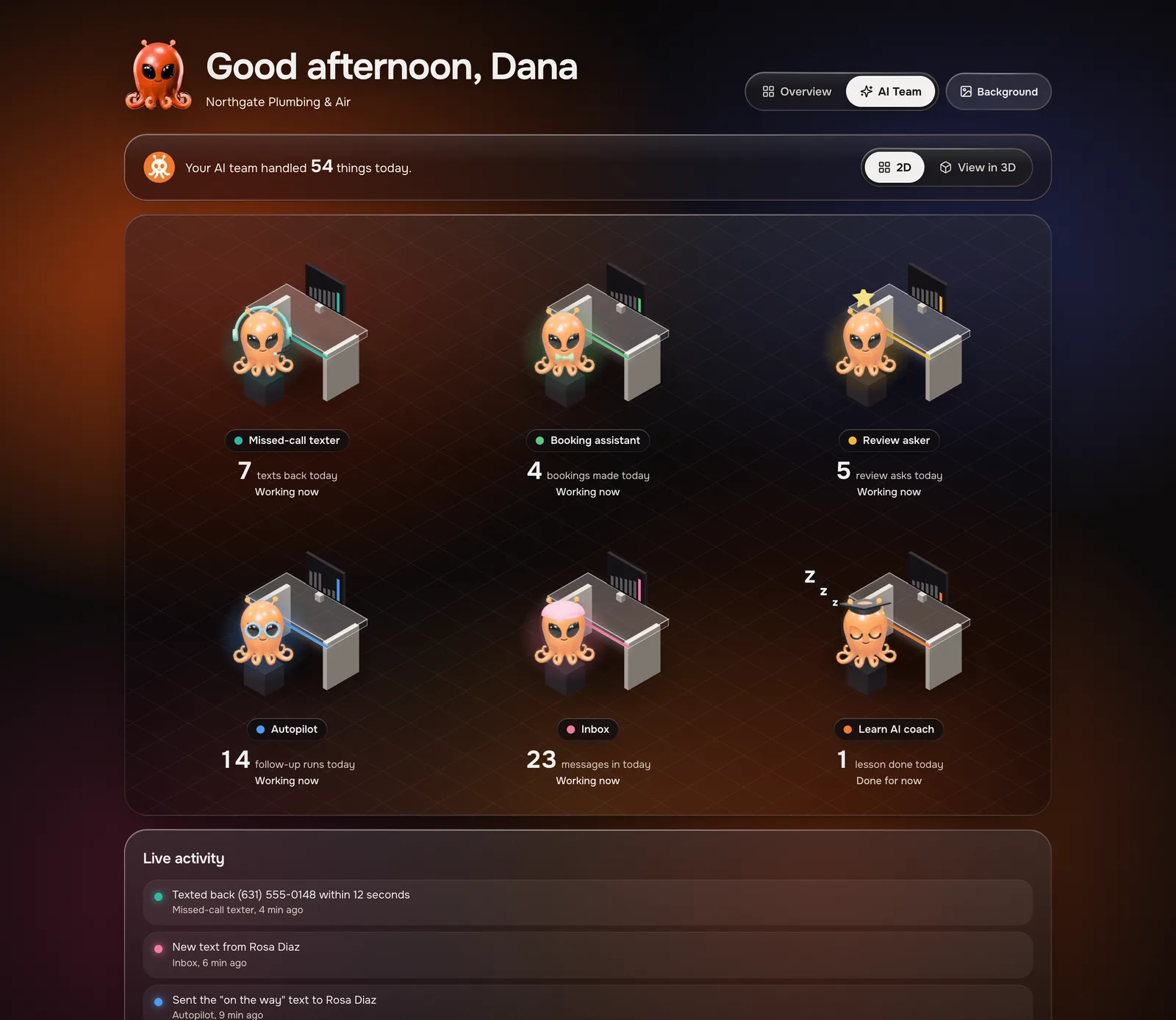

Sample data. Every name, number and amount here is made up.
Octopilot
Missed call texted back(631) 555-0172 got a text in 12 seconds.Octopilot
Rosa booked Friday, 9 AMWater heater check. Added to your calendar.Octopilot
New 5-star review"Showed up fast and fixed it right."Octopilot
Invoice #1042 paid$1,240.00 through Square.Octopilot
New web chat"Do you do tankless water heaters?"Octopilot
Marcus finished his jobKitchen sink at 14 Elm St. Marked done.Octopilot
Follow-up sentHelen got a reminder about her quote.Octopilot
Your day is done5 booked, $1,240 paid, nothing needs you.
Sample alerts. Names and amounts are made up.
Put Octopilot on your home screen. Today.
No app store needed. Add it once and it opens full screen with its own icon, just like an app. Push alerts like these are coming with the native app.
- Open app.getoctopilot.com in Safari and sign in.
- Tap the Share button, the square with the arrow. On newer iPhones, tap ⋯ first.
- Scroll down and tap Add to Home Screen.
- Tap Add. Octopilot is now on your home screen.
- Open app.getoctopilot.com in Chrome and sign in.
- Tap the ⋮ menu in the top right corner.
- Tap Add to Home screen or Install app.
- Tap Install. Octopilot is now with your other apps.
- Open app.getoctopilot.com in Chrome or Edge and sign in.
- Click the install icon at the right end of the address bar.
- Click Install. Octopilot opens in its own window.
- Pin it to your taskbar or dock so it is one click away.
Want this running for your business?
Answer four quick questions and see your plan.
See if you qualify